12,000 Photos, One Sunday: What Five Cleanup Apps Did to My Camera Roll
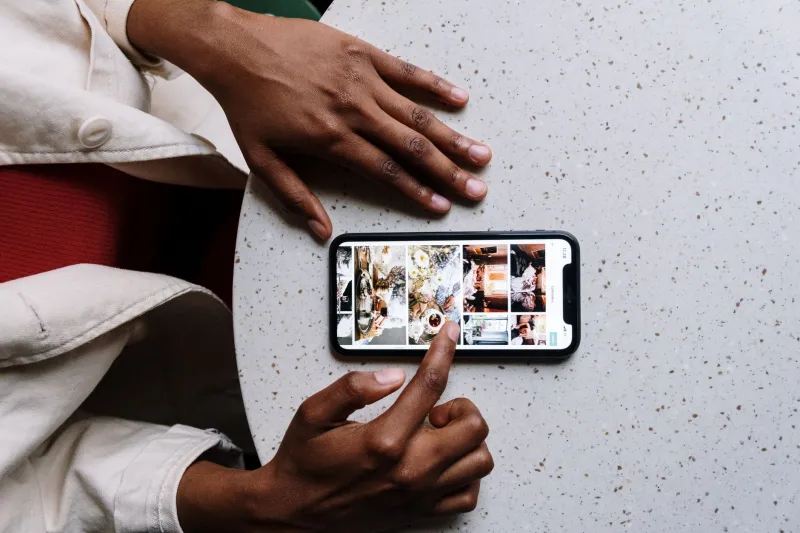
My camera roll had 12,043 photos in it. I know the number because I finally looked, and then I closed the app and made a cup of tea and thought about literally anything else.
Here's the financial version of that avoidance: I pay for the 200GB iCloud tier. I have paid for it for a while. Some chunk of that storage is screenshots of recipes I will never cook, three near-identical shots of a parking garage level sign, and at least a dozen photos of receipts that I kept meaning to file for the expense report and never did.
So this project wasn't really about tidiness. It was about whether I'm paying $2.99 a month forever to store noise. Before the holidays add another 800 photos of pie, I gave five apps two Sunday afternoons to make the library usable again.
The Ground Rules
Before any app touched anything, I made a full local backup to a laptop. Non-negotiable, and I'd say the same about any tool that offers to delete things in bulk for you.
Three questions I asked every app before trusting it:
- Does the scanning happen on the phone, or does it upload my library to a server?
- What does the free tier actually cover, and where does the paywall land?
- Does it delete, or does it move photos to a review album first?
I skipped anything that wanted full-library upload to a nameless cloud. I also want to be clear that I did not delete anything automatically. Every image that got removed, I looked at. That's why this took two Sundays instead of twenty minutes.
What the Five Found
Gemini Photos
The fastest first pass by a wide margin. It grouped my library into categories on its own — screenshots, similar shots, blurry images, screenshots of text — and the similar-shot grouping was genuinely good. Those four photos of the same brick wall from slightly different angles got clustered the way a person would cluster them, not the way a hash function would.
It runs on-device, which was the deciding factor for me. Free trial covers a limited number of cleanups, then it's a subscription in the few-dollars-a-month range. Worth noting: it wants access to your whole library up front, so read the permission screen before you reflexively tap allow.
False positives were rare but memorable. It flagged a deliberately blurry photo of my nephew mid-somersault, which is the entire point of that photo.
Swipewipe
The most enjoyable one, which feels like a strange thing to say about a deletion tool. You swipe right to keep, left to delete, one photo at a time, like a dating app for your memories. It starts you at one year ago and walks forward, which is a smart trick — old photos are easier to judge than the one you took twenty minutes ago.
It's fast, it's free with ads, and the premium tier removes the ads and unlocks year selection. My issue is structural: swiping through 12,000 photos at maybe one per second is a three-hour commitment, and I do not have three hours. I used it for 900 photos and tapped out with a sore thumb.
Slidebox
Different mental model entirely. Instead of showing you photos to judge, it shows you one photo and asks you which album it belongs in. Moving things into albums is the same gesture as deleting, so you can clear a queue of unsorted junk without ever feeling like you're destroying anything.
This was the slowest of the five and the one I'm most likely to keep using, because it works in five-minute chunks without demanding a decision about the whole library. Free tier is real, premium is a couple bucks a month.
Google Photos' built-in storage manager
Free, already on my phone, and narrower than I remembered. It surfaces the big stuff — large videos, blurry photos, screenshots, and anything already backed up — and lets you bulk-delete from there. If your library is the reason you're paying for extra storage, this is where you start, because nothing else knows as much about what's already in the cloud.
The catch is that it's built to help you delete, not to help you decide. There's no grouping of near-duplicates, so you're reviewing one screenshot at a time.
Remo Duplicate Photos Remover
Did what it promised: found exact and near-exact duplicates, including the version of my library that got re-imported twice during a phone migration. About 640 redundant images, most of them invisible to me until they were grouped side by side.
The interface is dated and the free tier is effectively a demo. Not the tool I'd pay for, but it did surface real bloat that the prettier apps skipped past.
The Subscription Trap I Walked Into
One of the clean-up apps I tried before settling on these five offered a three-day free trial, then auto-billed a yearly plan. I caught it in the trial terms and canceled with hours to spare. That's a $40 mistake I've made before in other categories, and it's the same psychology as the storage tier: the app is designed so that the moment you're motivated to fix the problem is the moment you're most likely to say yes to a recurring charge.
Practical rule I now use: if an app can delete photos in bulk, it should be able to earn a payment from me once I've seen results, not before. And if a price is quoted per week, triple it and ask whether that's really a $150-a-year photo app.
The Actual Numbers
- Starting library: 12,043 photos, 61 videos
- Screenshots: 3,180 — the single biggest category by far
- Obvious junk deleted: 4,410 (screenshots, duplicates, accidental pocket shots of the inside of my bag, 14 photos of a menu board)
- Duplicates found: 640
- Receipts rescued: 39, moved to an album called Taxes 2026 instead of deleted, because those are money
- False positives caught and reversed: 11
- Storage freed: roughly 19GB
- Time spent: about five hours across two afternoons
The 19GB didn't get me off the paid tier. I'm still on 200GB, and I probably will be once holiday photos land. But I'm nowhere near bumping the ceiling anymore, and I bought myself at least another year before the upgrade prompt starts nagging.
Where My Camera Roll Landed
It's usable. I scroll and I see things I meant to see — the dog, a birthday, a genuinely good sunset from a beach in July — instead of a wall of screenshots of shipping confirmations.
The receipts album was the surprise. Thirty-nine documents sitting in my photos, unfiled, were worth actual reimbursement dollars I'd never claimed because I forgot they existed. That's the part of this that belongs on a personal finance page: cleaning up your photos isn't just housekeeping, it's finding the paperwork you already did the work to earn.
If you do one thing before the holidays, do the screenshots. Three thousand of them, all mine, and I did not miss a single one.