The $310 I Forgot I Had: Five Gift-Card Apps vs. the Holiday Crush
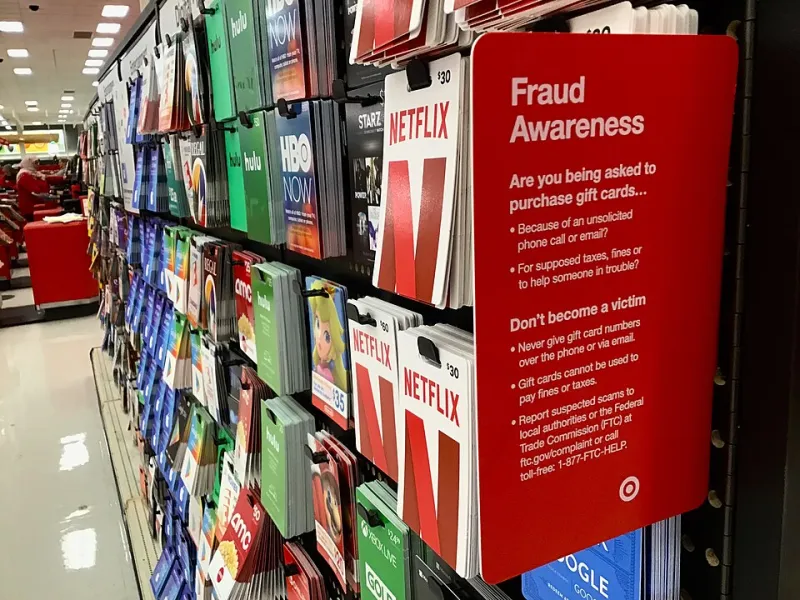
Photo: Mike Mozart, CC BY 2.0, via Wikimedia Commons
I found the stack while looking for packing tape. A hardware store card, two coffee cards, a restaurant card, a handful of digital codes I had screenshotted and never filed, and one birthday card from an aunt who still believes in the magic of plastic. My rough tally was $310. Some of it was probably expired. Some of it was probably already spent. All of it was doing nothing in a drawer while the holiday season geared up.
So I spent a week testing five gift-card apps: Gyft, Gift Card Wallet, Stocard, CardStar, and CardPointers. I used the free tiers, added the same eleven cards to each where possible, and checked balances against store websites, receipts, and two phone calls to local businesses. This was not a lab test. It was the kind of messy, real-world trial most of us actually run in November.
What I Wanted From a Gift-Card App
My checklist was short. I wanted to add a card in under a minute, see a balance without hunting for a barcode, get a warning before something expired, and not feel like I had handed my shopping history to a data broker. That last part turned out to be the hard one.
National chain cards were the easy case. Local cards were the stress test. A restaurant card with a balance that changes every time I order was the nightmare scenario.
The Easy Wins: National Chains and Digital Codes
Gyft and Gift Card Wallet handled the big-name cards best. I scanned barcodes, typed in card numbers, and had most of the national cards stored in a few minutes. Gyft was the smoother experience for digital cards because it can pull in e-gift cards and keep them in one wallet view. Gift Card Wallet was a little more manual but felt cleaner for physical cards.
Stocard, which now lives under Klarna, was the fastest for pure storage. It is excellent at turning a plastic card into a scannable barcode on your phone. What it does not do well is tell you how much money is left. For a store where I only needed the loyalty barcode, that was fine. For a gift card, I still had to check the balance somewhere else.
CardStar behaved similarly. It is a solid digital wallet for cards you scan at checkout, but balance tracking is not its strong suit. CardPointers was the most interesting for a different reason: it is built around maximizing card-linked offers, and it nudged me to use specific cards at specific stores. That is useful, but it is not the same job as babysitting a $25 gift card until it expires.
The Local Coffee Shop Problem
My local coffee shop card was the first reality check. The app could store the barcode. It could not tell me the balance. The shop does not offer a public balance-check API, and the card is basically a punch-card successor with a magnetic stripe. No app is going to magically sync with that unless the shop builds it.
I ended up calling the shop, writing the balance in the app notes, and setting a reminder to use it before the end of the month. That worked, but it was not automation. It was me doing the work with a nicer digital folder.
The lesson: if a card is from a small business, expect to treat the app as a storage locker, not a accountant. That is still better than losing the card in the drawer, but it is worth knowing before you pay for a premium tier.
The Restaurant Card With a Draining Balance
I had a restaurant gift card with about $42 left on it. Every time I ordered takeout, the balance dropped, and the app had no way to know. One app let me manually update the balance. Another let me add a note. None of them synced automatically.
This is where expiration alerts can get dangerous. If you type in a balance and then forget to update it, the app will confidently show you money you no longer have. I started treating the balance field as a rough note, not gospel. For cards I use often, I set a calendar reminder to recheck the balance every couple of weeks. It is low-tech, but it prevented me from ordering a $38 dinner against a $19 card.
Expiration Alerts: Useful, but Not a Calendar Replacement
Two of the five apps let me add an expiration date and sent a push notification when it was close. That is genuinely useful for the holiday rush, when cards get buried under wrapping paper and travel receipts. But the alerts only work if you enter the date correctly, and many cards do not have a clear expiration date printed on them.
I also ran into state rules. In the US, gift cards generally cannot expire within a certain period, and some states have stricter rules than others. The apps did not explain that well. They just took my date and pinged me. For a $10 card, that is fine. For a $100 card, I would rather check the issuer's terms myself than trust a generic reminder.
Privacy: The Part That Made Me Pause
Gift-card apps want access to a lot: card numbers, barcodes, email receipts, sometimes location. That is a lot of trust for a drawer-cleaning project. I turned off location access for all five and declined email scanning where I could. I also avoided uploading photos of cards with visible security codes to any app that did not clearly explain how it stored them.
Gyft and Gift Card Wallet felt the most transparent about what they collect. Stocard and CardStar are straightforward storage tools, but they are still wallets. CardPointers is more of a shopping optimization tool, which means it has a reason to know where you shop. None of them felt reckless. All of them required a little reading before I tapped accept.
What Actually Earned a Spot on My Phone
I kept two apps. Gyft stayed because it handled digital codes and national chains without much friction. Stocard stayed because it is the fastest way to pull up a barcode at checkout. I deleted the rest after the test. Not because they were bad, but because I did not need five folders for the same eleven cards.
The $310 is now down to about $80. I used the hardware store card on a space heater, burned the coffee cards on a Saturday morning, and finally spent the restaurant card before it became a science experiment. The drawer is lighter. The holiday season is still coming. And this time, I know where the money is.