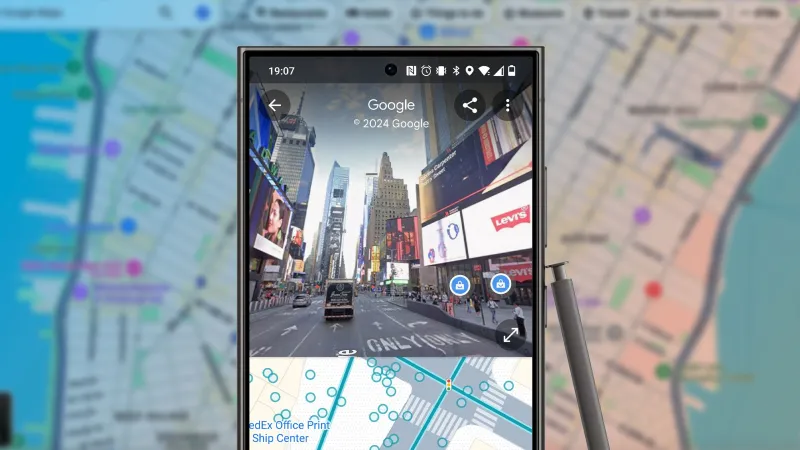
The Airplane-Mode Drive: Five Apps, 400 Miles of Dead Signal, and One Wrong Turn
Photo: Unknown, Public domain, via Wikimedia Commons
The plan was simple: leave the St. Louis suburbs before 7 a.m., point the car west on I-70, and keep the phone in airplane mode until we hit my parents' driveway outside Wichita. About 430 miles. One kid in the backseat. A cooler full of string cheese. And five apps that all claim to be useful when the signal disappears.
I tested them the way a normal person would — not with a lab checklist, but with a full bladder, a restless 8-year-old, and a vague memory of where the good rest stops are. Here is what actually loaded, what drained the battery, and what earned a permanent spot on the home screen.
The Rules: Airplane Mode From the Driveway
I downloaded every offline file I could before leaving: map regions, two episodes of a cartoon, a playlist, and the membership card for our roadside assistance plan. Then I flipped on airplane mode and left it there. No cheating at stoplights. No quick refresh at a gas station. If an app needed the network to be useful, it had to prove it could survive without one.
That sounds dramatic. It is not. Most of eastern Missouri and a long stretch of Kansas will happily give you one bar and then snatch it away, which is worse than no bars at all. Airplane mode at least stops the phone from burning battery while it searches for a tower that is not there.
The Map That Caught the Wrong Turn
Organic Maps was the quiet hero. I downloaded Missouri and Kansas the night before — roughly 600 MB total, which felt reasonable — and it ran entirely offline. No account, no upsell, no little car icon spinning in a gray void.
The useful part came about 90 minutes in, near Kingdom City. I had talked myself into taking a smaller highway north to save time. Organic Maps showed the road as a two-lane with a cluster of construction closures, and it recalculated without a signal. We stayed on I-70. My kid asked why we were not taking the shortcut. I said the map knew better. The map did know better.
Battery cost was mild: about 6 percent over four hours with the screen on for maybe 20 minutes at a time. I would install it again for the offline regional downloads alone.
Bathrooms, Rest Stops, and the Limits of Cached Data
SitOrSquat is a bathroom finder, which is a noble thing to be on a family road trip. It has a huge database of public restrooms, and some of that data is available after you have loaded an area. The catch is that the app is not really built for dead zones. Cached listings in towns worked fine. Rural rest stops were a coin flip.
The app told me there was a restroom at a gas station in Warrenton. There was. It told me there was one at a small park outside Columbia. There was not. To be fair, the park had a porta-potty, but it was locked and the app had not been updated since the summer.
I would keep SitOrSquat for city trips and quick stops where I have a bar or two. For a true offline drive, it is a nice-to-have, not a lifeline. The real lifeline was the old-fashioned highway sign that said Rest Area 12 Miles.
The Backseat Cinema and the Battery Tax
Netflix is not an offline travel app in the romantic sense, but it is the reason my kid did not ask how much longer every nine minutes. I downloaded three episodes of a show before we left. They played in airplane mode without a hiccup.
The tax was battery. An hour of downloaded video at full brightness pulled about 18 percent. That is not Netflix's fault — it is the screen — but it matters when you are using the phone as map, camera, and emergency entertainment. I switched to a tablet for the second episode and kept the phone for navigation. If you are doing this, download the episodes, then hand the screen to someone else.
Roadside Assistance When There Is No Roadside Signal
AAA Mobile loaded my membership card, which is good if a tow truck driver wants to see it. But the app cannot summon help without a signal. That is not a knock on AAA — physics is physics — but it does mean the app is not an offline safety net. In a dead zone, you are still relying on a passing motorist, a landline at a gas station, or the emergency call feature on your phone, which may or may not find a tower.
I kept the app installed because the card and the service history are handy. I also wrote the member number on a sticky note in the glove box. Low-tech, but it works when the phone does not.
Fuel Stops and the Refresh Loop
GasBuddy was the biggest disappointment in airplane mode. It wants live prices, and live prices require a connection. Without one, it showed stale numbers from the last refresh — some of them a day old — and kept trying to update in the background. I watched the battery tick down while the app spun.
The fix was to turn off background refresh and use the app only at stations with Wi-Fi. On the way home, I skipped it entirely and used the fuel gauge and a rough mental map of towns with cheap gas. Not elegant, but honest. If you want offline fuel planning, you are better off saving your route in a maps app and noting the larger exits.
What I Would Install Again
Organic Maps stays. It did the one thing I actually needed: it got me from point A to point B without a signal and without a surprise detour. Netflix stays, but on the tablet. SitOrSquat stays for city days. AAA stays for the card. GasBuddy gets deleted until the next time I am within reach of a tower and a reason to care about four cents a gallon.
The bigger lesson is that offline apps are not magic. They are downloaded data plus a good interface plus a battery plan. The drive went fine. We made it to Grandma's before dark, the kid watched two episodes, and the only wrong turn was the one I almost took near Kingdom City. The map caught it. I will take that trade.