Ice on the Windshield, Panic in the Group Chat: A Snow-Day App Stress Test

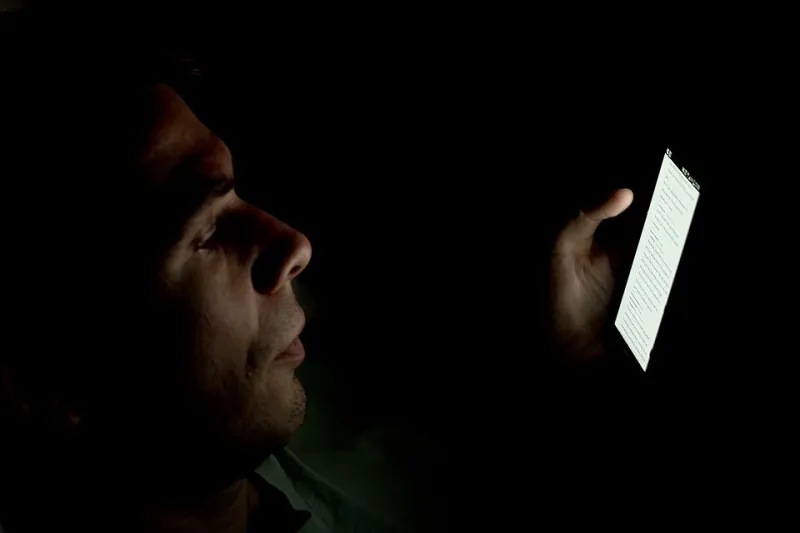
Photo: Shixart1985, CC BY 2.0, via Wikimedia Commons
The text arrived at 6:14 a.m.: school closed, buses canceled, no live instruction. My kid was still asleep. My laptop was open to a 9 a.m. call. The windshield was already iced over, and the group chat was doing what group chats do — 47 messages, three rumors, and one parent asking whether the Y was opening late. That is the snow-day scramble in its purest form. Not a whole day of childcare, really, but a 90-minute window where you have to figure out who covers 8 to 10, who covers 10 to 12, and whether you can move a meeting without looking like the person who treats work as optional.
I tested five apps across five jobs: district alerts, a shared family calendar, on-demand babysitting, a neighborhood parent thread, and workday rescheduling. I set them up ahead of time, because a snow day is not the moment to create an account and verify an email. Then a real closure hit on a Tuesday, and I took notes while trying to be a calm adult.
The Five Tools in the Ring
I used representative apps in each lane rather than pretending one app does everything. For alerts, I leaned on the district's ParentSquare-style messaging plus Remind. For the family calendar, Cozi and a shared Google Calendar. For babysitting, Care.com and a short-notice sitter app. For neighborhood chatter, Nextdoor and a school-parent group text. For work triage, Google Calendar plus Slack and a scheduling assistant. Not glamorous. Very real.
The first lesson: a snow-day tool is only as good as the boring setup you did two weeks earlier. A calendar nobody updates is just a decorative grid. A sitter profile with no availability is a sad little profile. A neighborhood thread without one trusted direct contact is just ambient anxiety.
The First Fifteen Minutes: Alerts That Wake You Up
The district alert did its job. It arrived early, it was official, and it repeated the same information in the app and by text. That redundancy is good when you are half-awake. The bad version is when the alert gets buried under 11 other notifications — a delivery update, a calendar reminder, a fantasy football score, and a weather app alert that says "wintry mix" with no useful specifics.
My testing note: give the district app a distinct notification sound and star the school's contact. That sounds like productivity theater, but it mattered. I knew the closure was real in under a minute instead of scrolling through three apps and a lock screen full of noise. Point to alerts.
Minutes 15 to 35: The Calendar Reality Check
The shared calendar was the grown-up in the room. Because my partner and I already had a family calendar with color-coded blocks, we could see the collision immediately: my 9 a.m. call, her 8:30 commute, and a kid with nowhere to be. We moved one meeting, blocked 8 to 10 for childcare, and marked who was on deck for the afternoon.
Cozi was friendly for family stuff; Google Calendar was better for work overlap. Neither solved childcare. What they did was stop us from arguing about whose day was more flexible. If your family calendar is not updated weekly, do not expect a snow day to fix that. It will just show you the gaps in high definition.
Minutes 35 to 55: The Sitter Hail Mary
This is where the fantasy of on-demand babysitting meets the reality of a school closure. Every parent in a 10-mile radius is looking for the same thing at the same time. Care.com gave me a list of sitters, but short-notice availability was thin. The sitter app was faster in theory, though "fast" still meant background-checked humans with their own snow-day problems.
One sitter replied within 20 minutes. She could come at 10:30, not 7:45. That is not nothing — it covered the back half of the morning — but it did not rescue the first 90 minutes. My take: babysitting apps are a backup plan, not a first responder. Keep two or three sitters favorited and message them before the district text if the forecast looks ugly.
Minutes 55 to 75: The Neighborhood Thread
Nextdoor and the parent group text were messy, repetitive, and occasionally weird. They were also the fastest source of actual help. One neighbor offered to take two kids to her driveway sledding hill. Another parent confirmed the Y was opening at 9. A third asked if anyone had seen the plow. It was chaos with a pulse.
The useful move was not reading every message. It was having one trusted parent's number saved so I could text directly: "Are you home? Can my kid come over from 8 to 10?" That one text did more than 30 minutes of app browsing. Neighborhood apps are great for information. Direct texts are better for coverage.
Minutes 75 to 90: Workday Triage
By this point I was late for something. The workday rescheduling tools mattered because they reduced the apology tour. I moved one meeting, sent a short Slack note, and blocked the morning as "family coverage" so nobody tried to book me. The scheduling assistant suggested moving my 9 a.m. to 11:30, which was optimistic but useful. The real win was having a prewritten note: "School closed, I'm on childcare until 10, will catch up after." No drama, no over-explaining.
What Actually Reduced the Scramble
Ranked by usefulness in the 90-minute window: direct neighborhood text first, shared family calendar second, workday triage third, district alerts fourth, babysitting apps fifth. That ordering surprised me. The sitter app felt like the obvious hero, but it was too slow for the first crisis. The district alert was essential, but it only told me the problem. The calendar and the work tools helped me stop the day from collapsing. The neighbor text actually solved a chunk of it.
The bigger point is that snow days are not really app problems. They are logistics problems with a notification layer. The apps that helped were the ones that had already been fed good information — a current calendar, a saved sitter, a neighbor who knows your kid's name. The apps that added stress were the ones that promised instant rescue and delivered another inbox.
The Verdict
If you live in a district that closes at the first hint of ice, do the unglamorous prep now. Give the district app a loud notification. Keep a shared calendar that both adults actually update. Save two sitters and one neighbor. Write a work note you can paste at 6:20 a.m. Then ignore the rest of the noise. The snow day will still be messy, but the 90-minute panic window gets a lot smaller when your phone is doing triage instead of just yelling at you.